From a floor plan to a priced rack layout
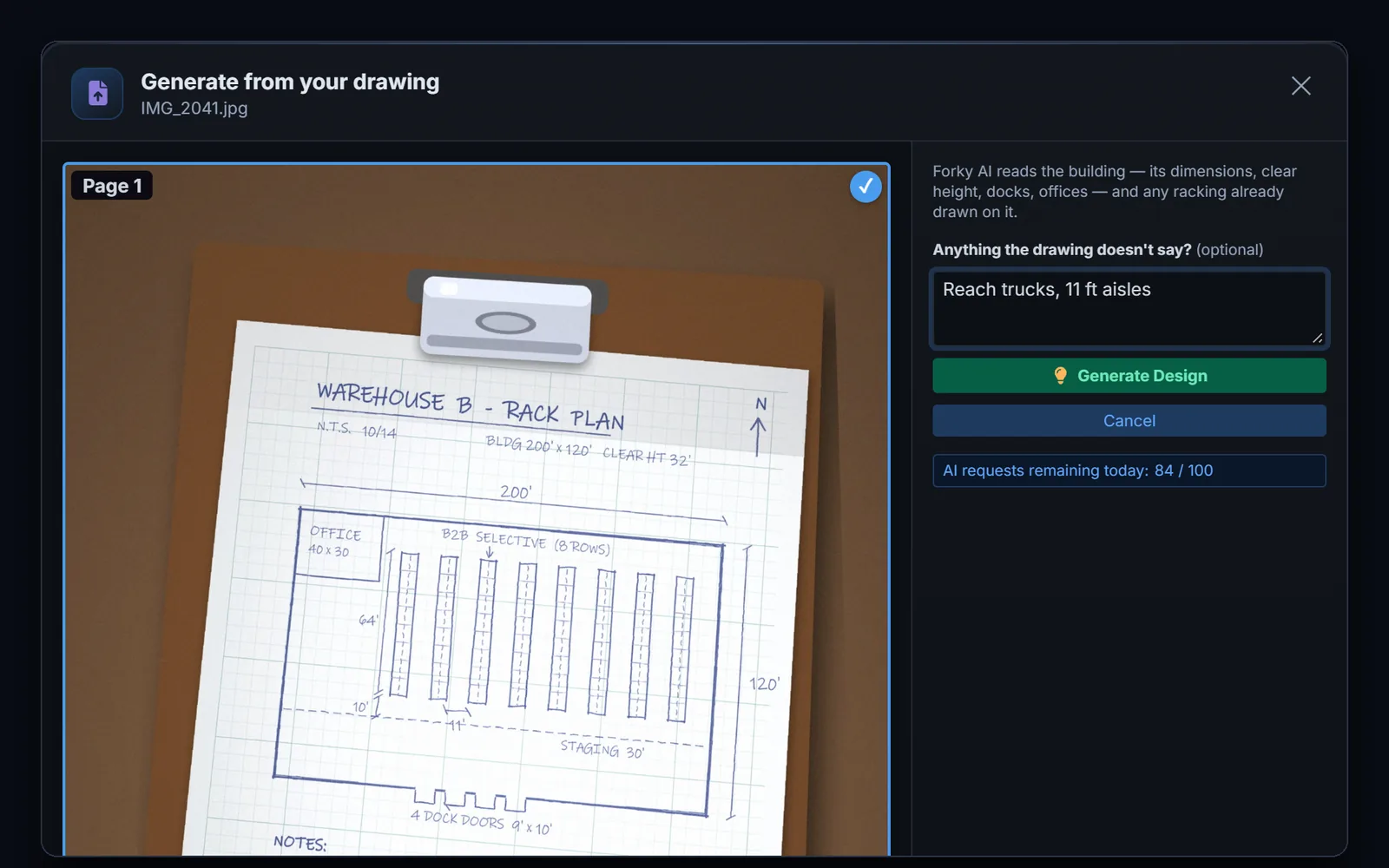
Upload a floor plan, flyer or sketch.
A floor plan, a building flyer, a rack quote — or a photo of the sketch on your clipboard. PDF, photo or screenshot: Forky AI reads the building, the dock doors and any racking drawn on it.
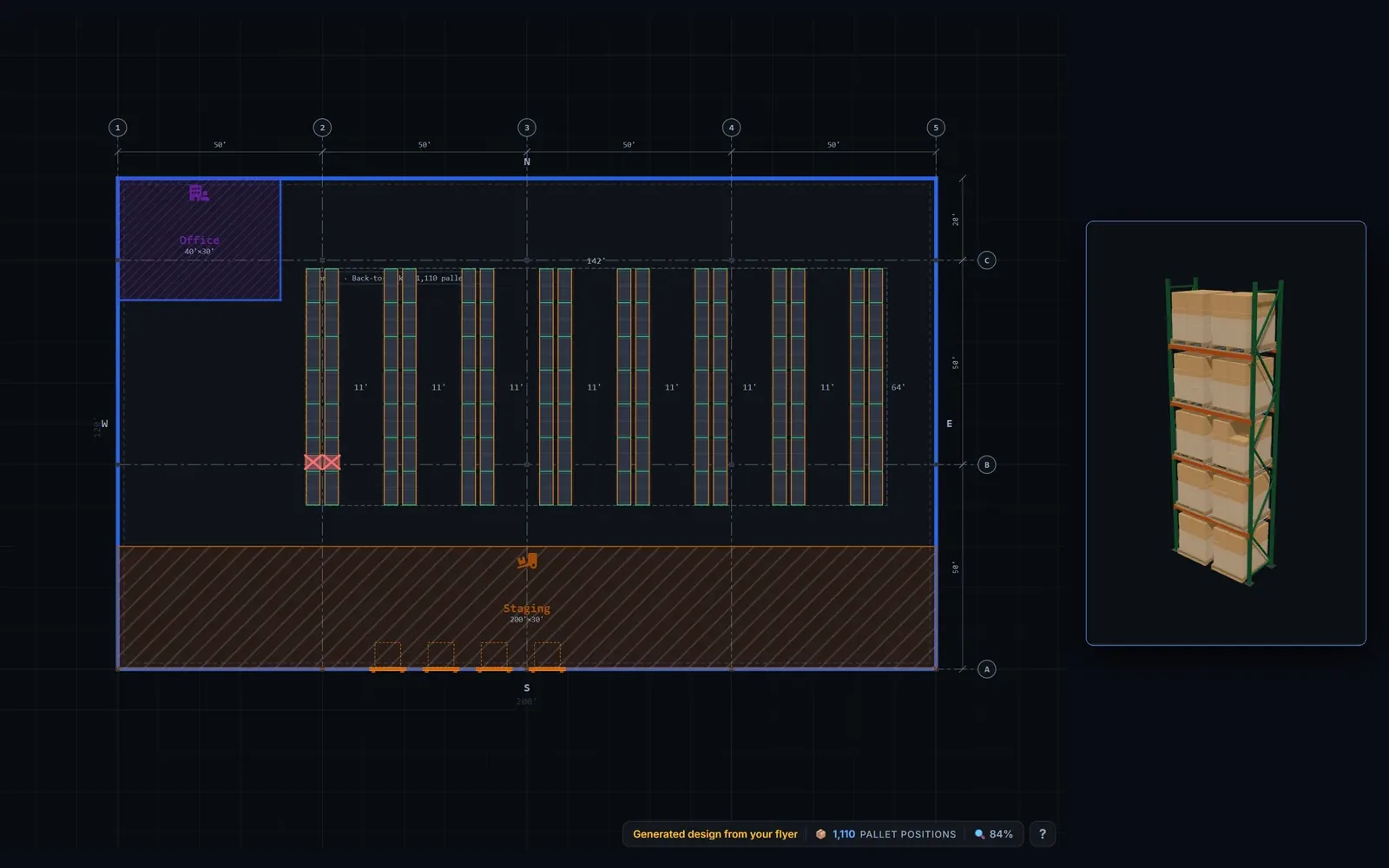
Forky AI lays out the building and racking to scale.
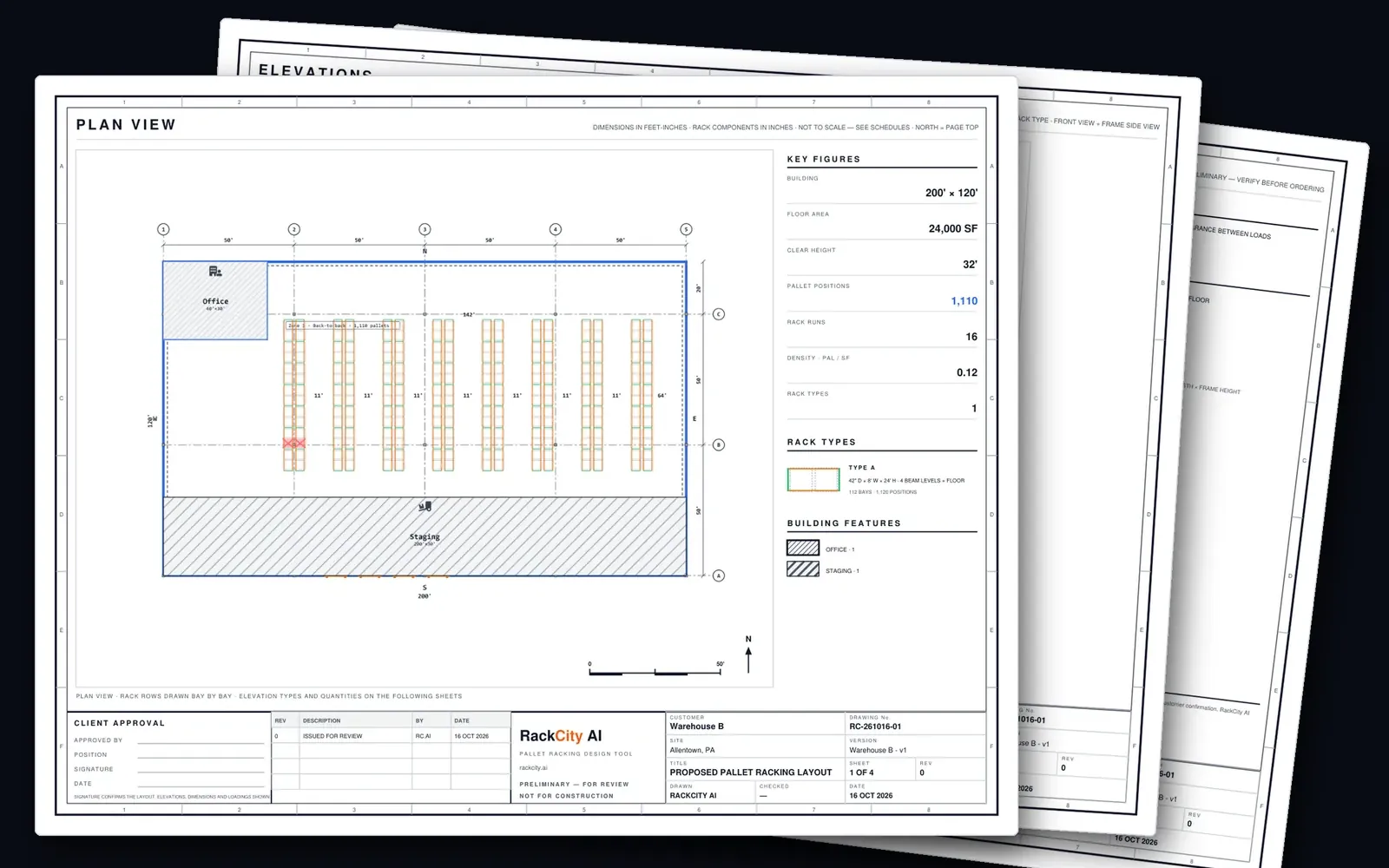
The building, its columns, dock doors, office and staging land on the plan to scale, in feet or metres, with the racking the drawing shows. Click any bay for its elevation, or orbit it in 3D — selective, double-deep, drive-in, push-back, cantilever and wide-span alike.
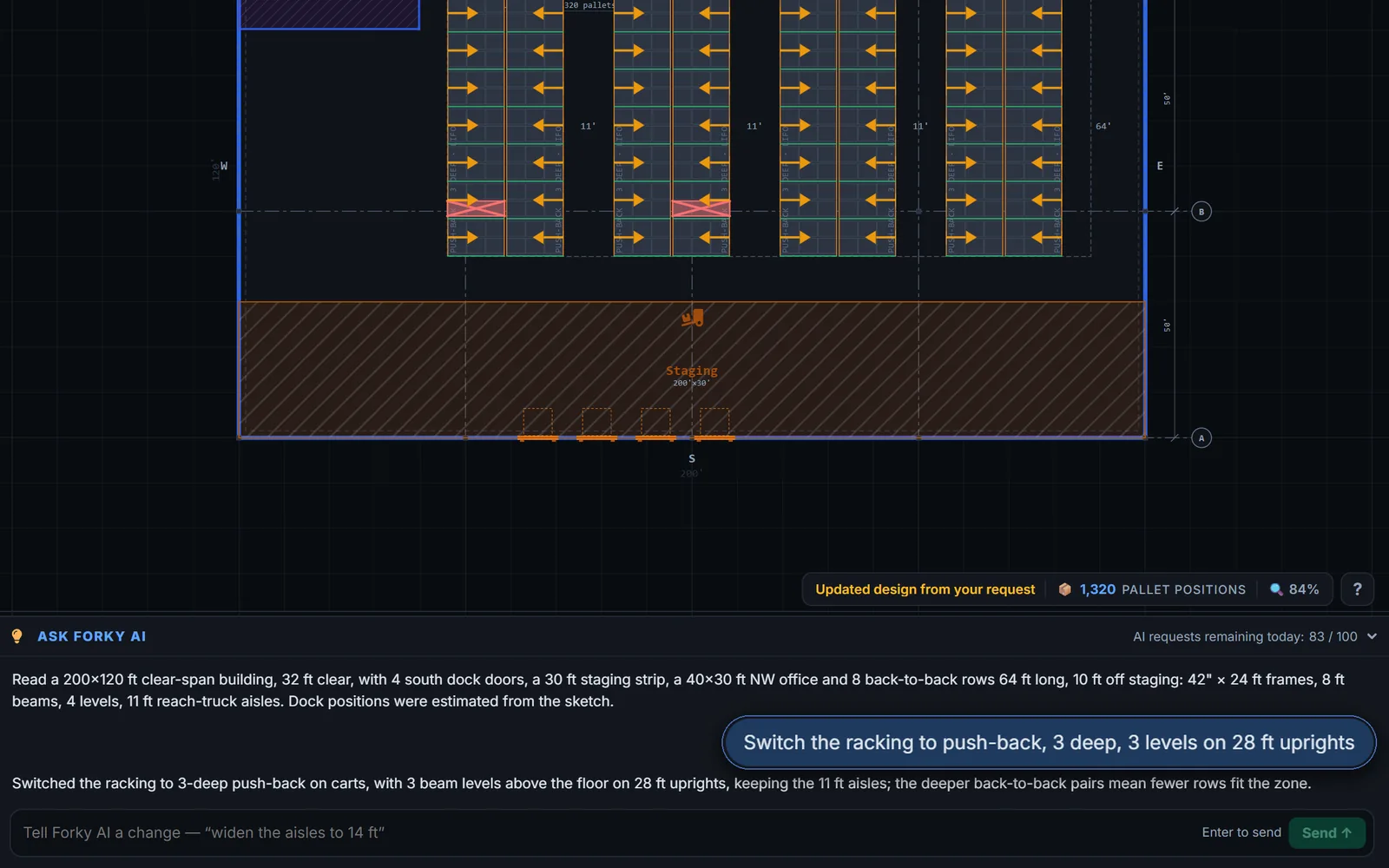
Change the racking by asking Forky AI.
Tell Forky AI what to change — switch to push-back, add a beam level, widen the aisles — and the plan redraws in seconds, pallet count and all.
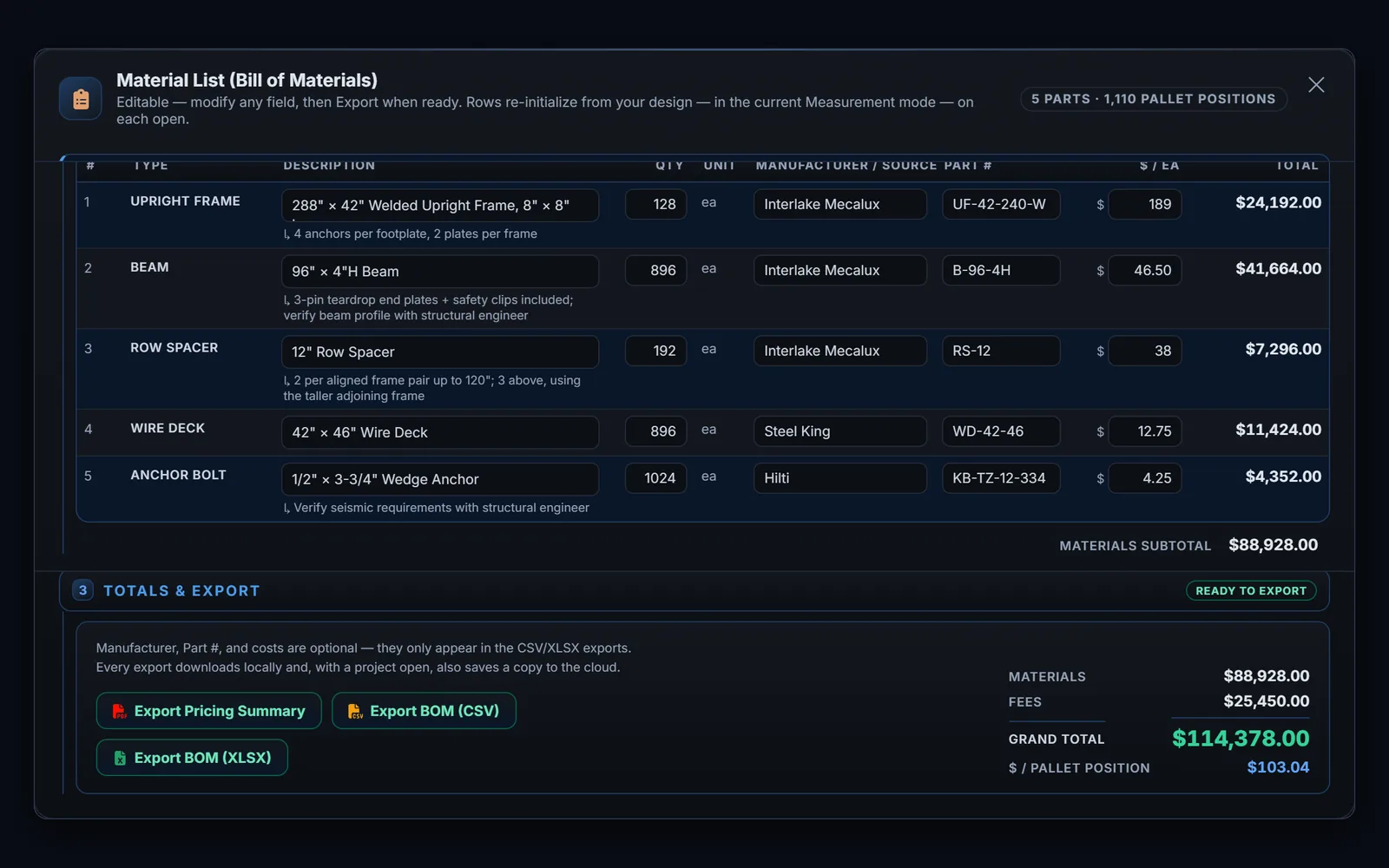
Price every frame, beam and anchor.
The material list writes itself from the layout — frames, beams, row spacers, wire decks, anchors. Add your prices, manufacturer and part numbers, installation and freight; the grand total and the cost per pallet position follow.
Export a drawing set your customer can sign.
Export the drawing set — plan, elevations, schedules and building features, with a title block your customer can sign — plus the pricing summary and the bill of materials as CSV or XLSX.
See the full walkthrough — design a pallet rack layout in 5 steps →